We’re all privy to penning a list of goals at the beginning of a new year, right? If you’re busy crafting yours but find yourself scratching your head wondering what tangible commitments you can make that go beyond the January clichés, let me present to you some accessibility habits.
Accessibility is not a rigid concept, it’s an umbrella term for a myriad of actions that can and should be taken to create an inclusive society for disabled people. Whilst different steps will need to be taken to achieve accessibility in different contexts for different people, the ultimate impact is universal with each commitment acting as protection against the inequality that rains down around us.
All too often, I’ve heard people excusing their lack of commitment to accessibility with claims that vision impaired/disabled people aren’t part of their audience or workplace, failing to consider the fact that we aren’t engaging or appearing in their spaces because the content or environment isn’t accessible for us to be able to do so – think about that for a second.
However, I’m also very aware of the fact that not everyone will know much about accessibility and what part they can play in creating a more inclusive society. I hope that what I’m about to share will help with that.
It is by no means an exhaustive list and does naturally mainly cover points from a vision impaired person’s perspective but I hope it serves as a useful guide to get you started.
Inaccessibility means inequality and can lead to isolation and a whole lot of frustration for disabled people. You can help combat that by implementing these habits into your life. We can create change together.
Accessible content, workplaces and environment’s equals inclusion for disabled people. By championing accessibility in your everyday life, you play a part in making equality a reality
These habits are easy to implement and whilst they might not be the health kick you planned on sticking to this new year, I can assure you that it will go a long way in terms of making the world a more inclusive place, and there’s nothing healthier than that, is there?
Plus, unlike that gym membership you’re contemplating investing in, it doesn’t come at a cost. All I ask is that you don’t abandon your commitment to these habits come mid-January.
Let’s dive in.
Adding ALT text image descriptions
‘Image’
‘Maybe an image of two people’
‘Image of text’
These are the words my screen-reader utters as I navigate the online world. As you can imagine, it can get quite repetitive and a little frustrating as it leaves me guessing what content people are sharing. You can help bring these photos to life by adding ALT text image descriptions when posting on social media, crafting documents and emails or sending a picture into the group chat.
We live in an extremely visual world where so much information, memories and jokes are captured and shared through photos. By writing ALT text, you ensure that vision impaired people are not lost for context and can engage with your content in the same way as everyone else.
Adding ALT text on social media is easy:
- On Facebook, once you’ve chosen your photo(s), click on the three dots along the way from the ‘edit’ button, one of the three options that will pop up is ‘Edit ALT text’. Click on that and you’ll find Facebook’s automatically generated image description which is a perfect example of why manually written ALT text will always triumph. You’ll be able to write your own description instead here. When you’re done, click ‘Save’ and there you go, you’ve created a more accessible image.
- On Instagram, the option is buried right at the bottom of the ‘Advanced settings’ section.
- On X, you’ll find a ‘+ALT’ icon in the bottom right of your photo when posting from your phone and an ‘Add description’ option underneath the image when sharing from a desktop.
- On BlueSky, the ALT button is located in the top left corner of your uploaded image.
- On LinkedIn, the ALT button will be underneath your selected photo.
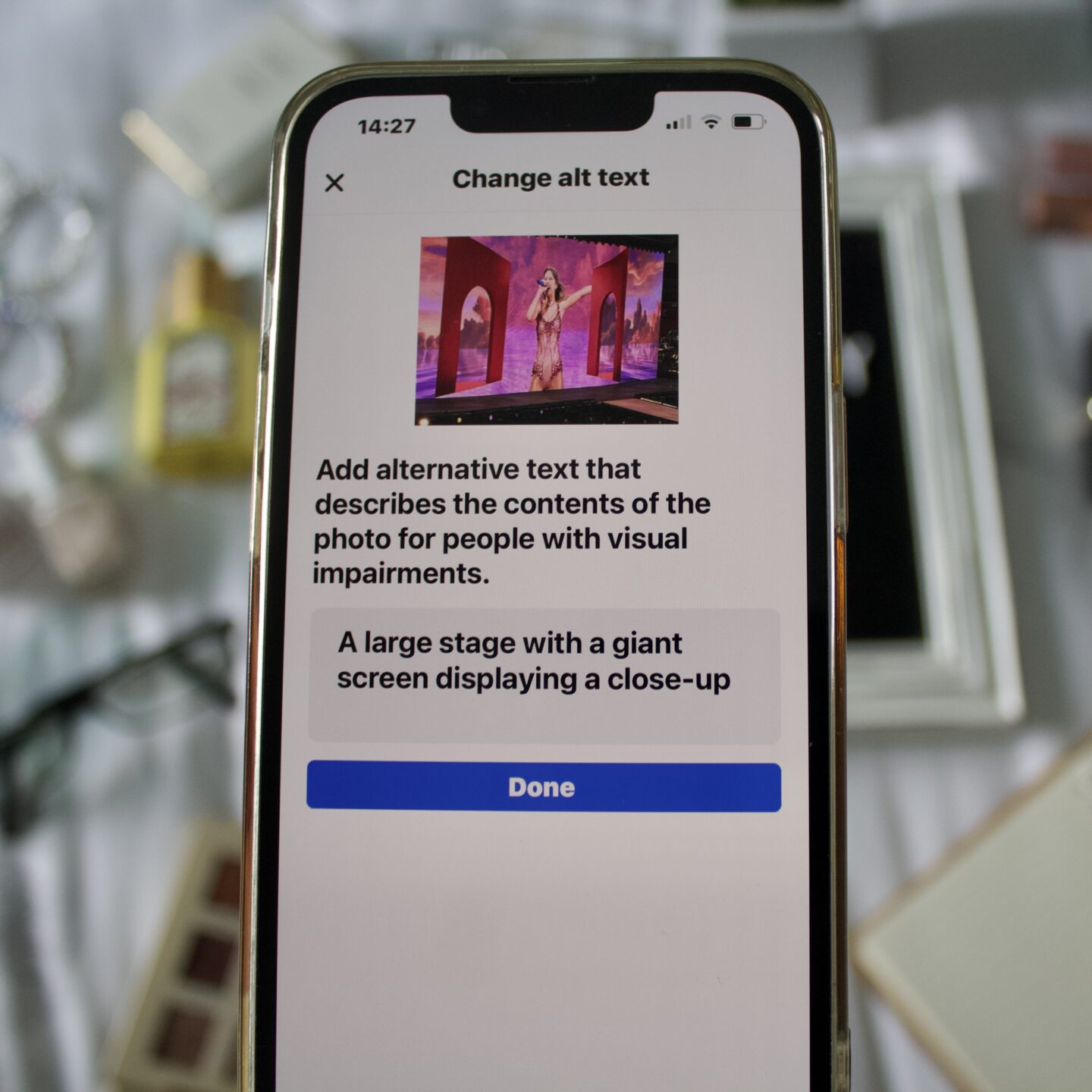
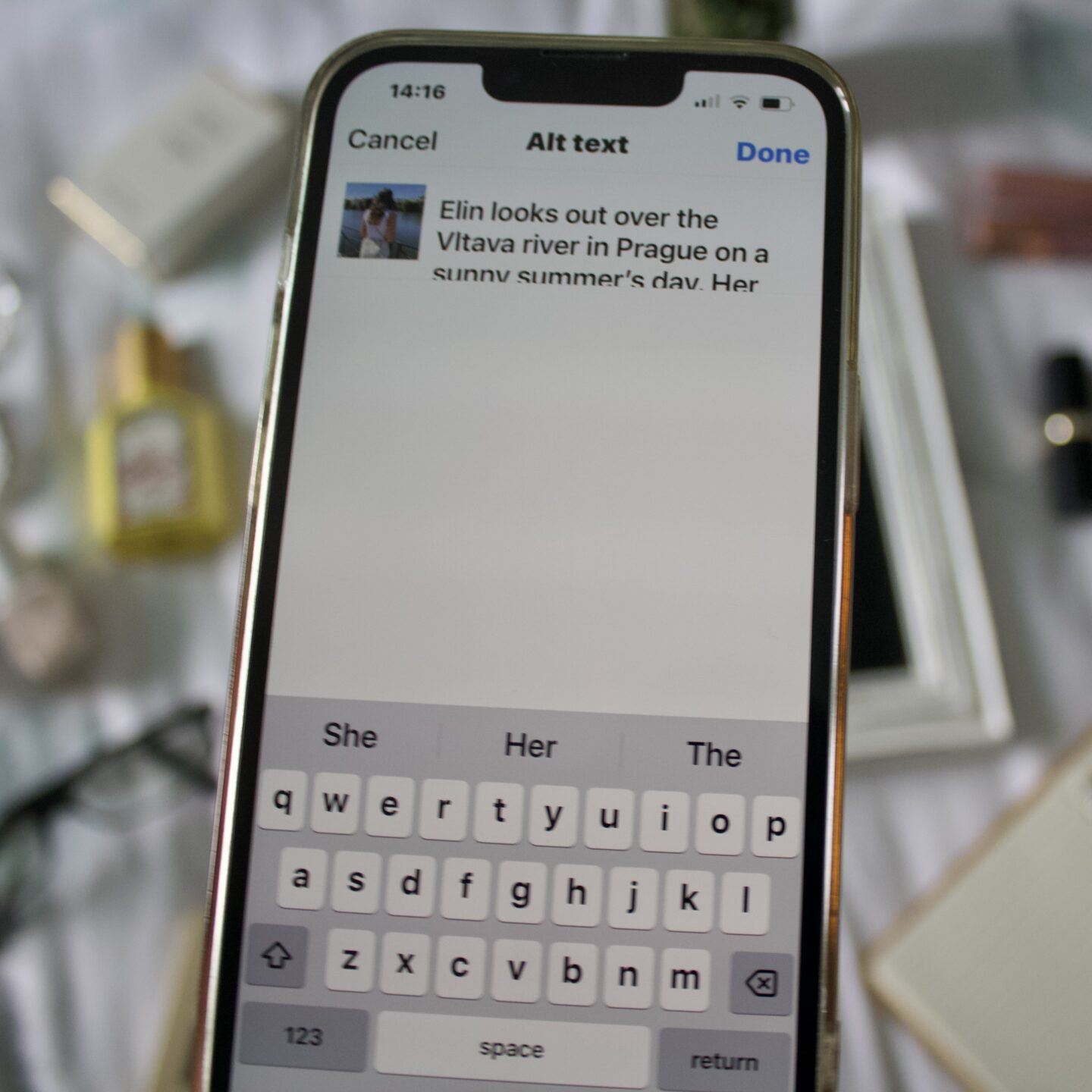
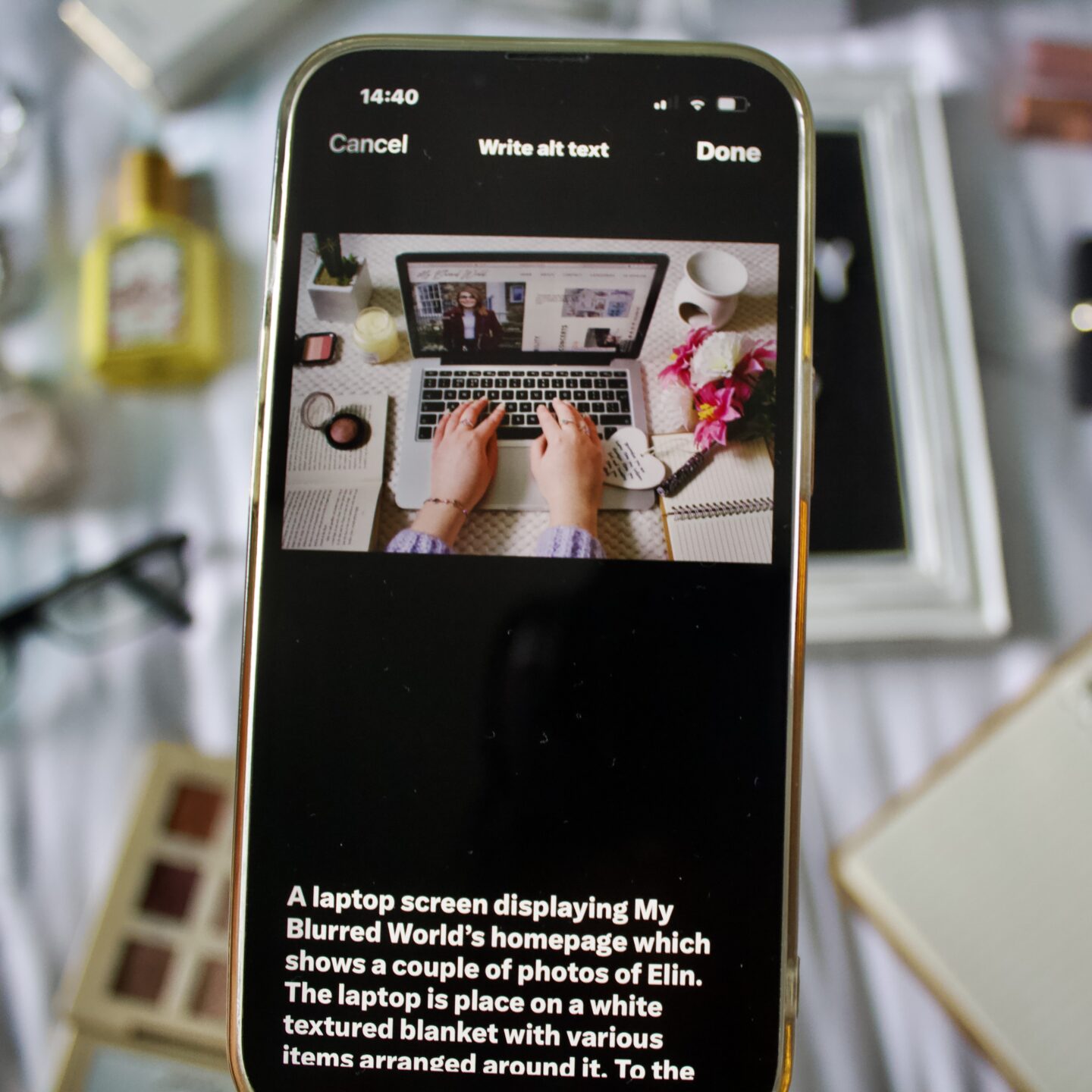
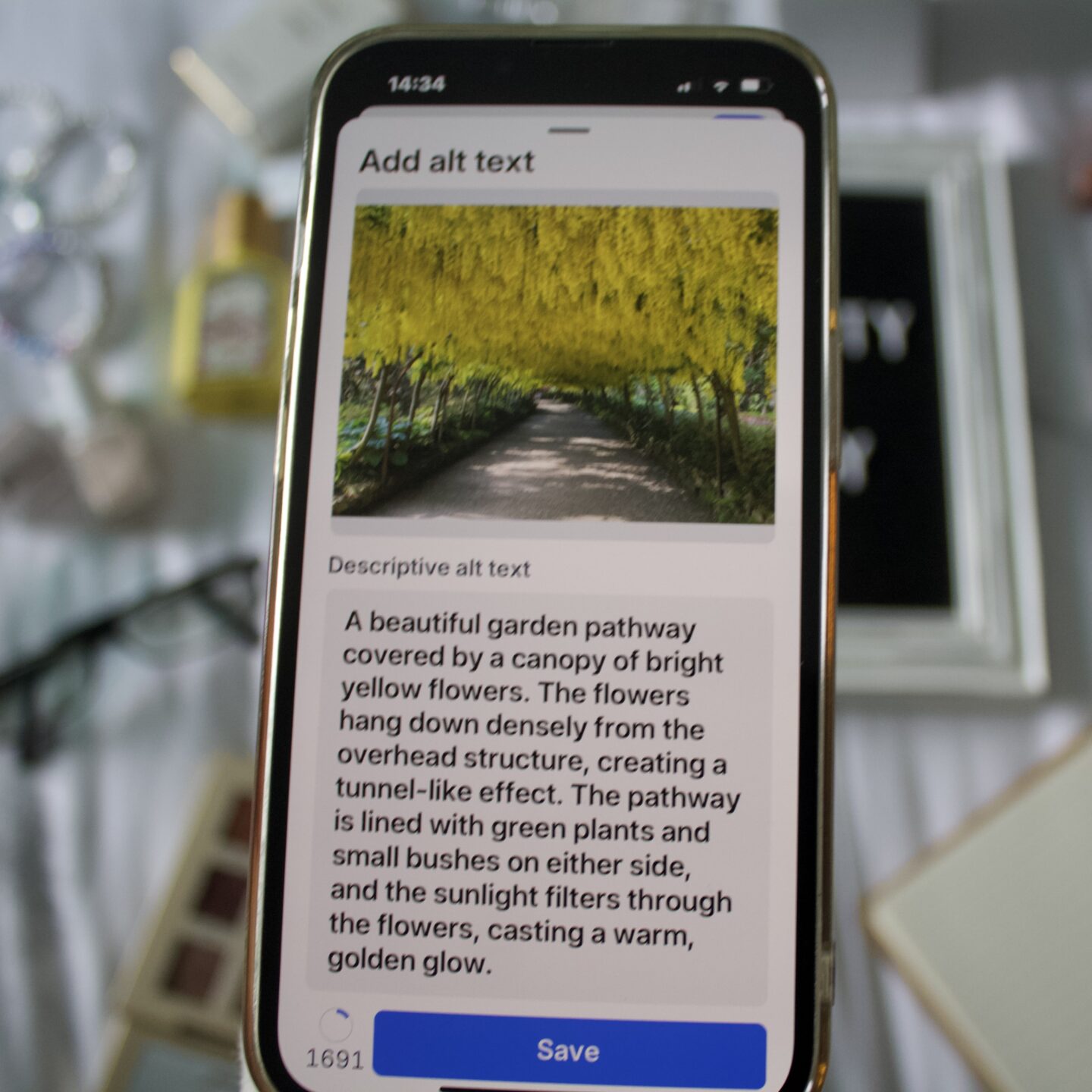
Your descriptions don’t need to cover every single detail but should communicate the main elements of an image. Similarly, if you’re sharing a graphic, poster or screenshot, make sure to write the text of that content out in the ALT text. There are a whole host of articles out there which delve a little deeper into how to write effective image descriptions, a simple Google search will lead you to them.
Create accessible documents and offer alternatives
If you’re sending out a document, make sure it’s accessible and available in multiple formats. PDF’s are notoriously screen-reader’s worst enemy and, when it’s the only document type on offer, it prolongs our ability to read information or complete a task as we have to wait for our request for an alternative format to be met.
It’s so much easier and less time-consuming to create accessible documents from the get-go rather than fixing it later. Having multiple formats available eliminates any doubt when it comes to inclusion and gives people the option to pick and choose what is most accessible to them.
One of my top tips when it comes to creating accessible documents is to include headings. By this, I don’t mean editing your text to make it larger and darker with bold commands but navigating to the styles dropdown in Word or Pages and choosing a heading option. This allows screen-readers to move through the document quickly and easily.
There is a lot more to creating accessible documents, of course, this factsheet by AbilityNet gives lot of great advice.
Adding video descriptions
A huge percentage of social media content is video based nowadays courtesy of the advent of TikTok and reels, and a large amount of those posts aren’t audio-led, making it difficult for vision impaired people to engage.
Now there’s a lot to be said about the accessibility of some social media platforms but resolutions to the issues are in the hands of the developers rather than the average person who uploads to the apps. However, you can play a part in making content accessible. If you’re partial to sharing videos on your social media feeds, creating audio-led content or adding audio description will make all the difference. Alternatively, popping a written description of what’s happening in the caption or comments will also help to give context to VI viewers.
Remembering the importance of good colour contrast
If you’re designing a website, graphic or poster, using an accessible font colour and making sure it stands out against the background is vital in terms of ensuring that as many people as possible can engage and read the information with ease.
Try sticking to solid colours that don’t clash and avoid using fancy fonts that might be difficult to read.
If you find yourself feeling a little hesitant about whether or not you’ve got it right, there are tools out there to help put your mind at ease. WebAim’s contrast checker is one of them.
Asking for someone’s access requirements
The impact of accessibility is universal in terms of equality and inclusion but the steps it takes to achieve it are often different.
If you’ve met or worked with one disabled person in the past, you’ve met or worked with one disabled person – their requirements may mean inclusion for them but they are not inclusive of what works for everyone.
There is no set menu for accessibility which is why it is important to ask for people’s requirements. Don’t assume that you know everything based on past experiences, there is always more to learn.
Introducing yourself when speaking with a vision impaired person
If you read my entry on my vision impairment related anxieties, you’ll be aware of how tricky I can find it to know who I’m speaking to, especially if I’m in an environment in which I’m not expecting someone to be or if I’m in a loud space where noise obscures a person’s voice, making it difficult to pinpoint.
This is why I encourage people to introduce themselves when striking up a conversation with a vision impaired person. A few people who know about my impairment have adopted this habit already which is appreciated and can help to eliminate any doubt whilst also ensuring that I don’t have to play a game of ‘Guess Who?’, meaning I can be fully invested in the conversation from the word go.
Ask before assuming a disabled person needs help
Stereotypes have painted disabled people as individuals who are in constant need of help. This assumption often leads to uncomfortable situations with many vision impaired people being grabbed without warning when trying to cross a road, for example.
I always appreciate the offer of support when I’m out and about but I might not always need it which is why it’s all too important to ask before assuming a disabled person will want or need your assistance. Everyone is different.
Consider accessibility from the get-go
I’ve said it before but I’ll say it again, implementing accessibility from the beginning is so much easier than adding it in later. Often, tagging It on as an extra won’t be as effective and will flag inclusion as an afterthought.
Thinking, learning and speaking about accessibility as you begin to craft a social media post, marketing campaign, event, a new form or mass mail-out will ensures that you are upholding disabled people’s right to be included and that we don’t have to ask to be.
Speaking up for disabled people’s rights and equality
As disabled people, we spend a lot of time fighting for our basic rights, but it can often feel as though we are speaking into the void. We shout at the top of our voices but the wind steals our words, leaving them muffled in the storm of a disabling world. Dark clouds of inequality prevail in many spaces due to the fact that accessibility and inclusion is so far down the priority list.
This is why we need allies, it is why we need non-disabled people to stand with us, champion accessibility and learn about what steps they can take to help bring us our rights.
It could be as simple as telling your colleagues that there should be alternative formats on hand for a form a stakeholder needs to complete, educating yourself on the Social Model of Disability or sharing an accessibility hack you’ve discovered with others.
Quickfire extras
As you can tell, there is so much to cover when it comes to accessibility. I don’t want to keep you for too much longer so here are a few extra habits for you to consider. And I’ll pop a disclaimer here that the fact that these don’t have a dedicated paragraph of their own doesn’t make them any less important.
- Capitalising the first letter in every word in a hashtag – This convention is known as Camel or Pastal Case which ensures that a hashtag is read out correctly by a screen-reader whilst also being easier to read visually.
- Captioning your videos to make them accessible to Deaf people, those with learning difficulties or other conditions.
- Limit the amount of emojis in your social media posts – I know, I know, emojis are fun and bring a little extra something to what would otherwise be endless scrolls of text but screen-readers read out a description of each emoji, doubling the amount of time it takes to read posts that are laden with them. Stick to one or two and avoid using them as bullet points.
- Listen and learn – A key habit to adopt when it comes to up the accessibility of our world is to listen and learn about what is good practice. Putting yourself in situations and conversations that ignite ideas and inspire your zeal to take action will keep the rotisserie of change and improvement going.
And there we have it, just a few habits you can implement in your life to make the world a more accessible place for disabled people.
Accessibility is all too often rejected, perhaps due to the fast-paced nature of our world, especially when it comes to content creation and posting on social media. The idea of accessibility as a time-consuming and costly step has reigned supreme for years and it’s time to change the narrative.
Equipping ourselves with knowledge will undoubtedly contribute to a more inclusive world. I have to say that I’m still learning too; I’m learning about what accessibility looks like as I meet and work with more disabled people but I’m also gaging what does and doesn’t work for me as I experience changes in my own impairment.
I appreciate that reading a long list like this can feel a little overwhelming so I want to sign off by saying that implementing these habits into your life one-by-one is more than okay. One step is always better than no steps and any one you can take to make the world a more accessible and equal place for disabled people is invaluable. Whilst committing to accessibility might not feel as though it’s making a difference in your own life, remember that it’s making someone else feel included.
Accessibility might seem daunting but, just like any habit, once it becomes a regular fixture in your life, it will become second-nature.
I’d love to hear from fellow disabled people about any tips you have to add to this list and what difference accessibility makes to your life. For me, it’s empowering, it’s independence, being able to do things on my own terms and above anything, it’s equality. Accessibility isn’t something I should feel relieved about when it’s there, it’s something I should expect is everywhere. I’m hoping that, if more people adopt these habits, that will become reality.
Elin x
Share this:

Discover more from My Blurred World
Subscribe to get the latest posts sent to your email.
You May Also Like


The Comments
Patricia Ahern
Thank you, Elon, for mentioning color and font. I also find that web sites with lots of video and moving pictures that play too fast for a low-vision viewer to absorb and read. They are often trying to be catchy, creative, and artistic, but sometimes the sites can be too “busy.”
These are all good and important habits. Happy and peaceful New Year to you.
Elin
Patricia AhernI completely second this, Patricia. A lot of websites have one too many ads and pop-ups these days which makes it so tricky to navigate, it’s a perfect example of why accessibility needs to be thought about from the get-go when designing. Thank you for reading and Happy New Year to you too!